Your coding agents are connected to tools you have never inventoried. They read Jira tickets, open pull requests, query databases, and call internal APIs. The connector that makes this possible is MCP, and for most security teams it is a complete blind spot.
This is for the CISO, the CIO, and the platform lead who have heard "MCP" in a standup and want to understand why it changes the risk picture, and what governing it actually means.
What MCP actually is
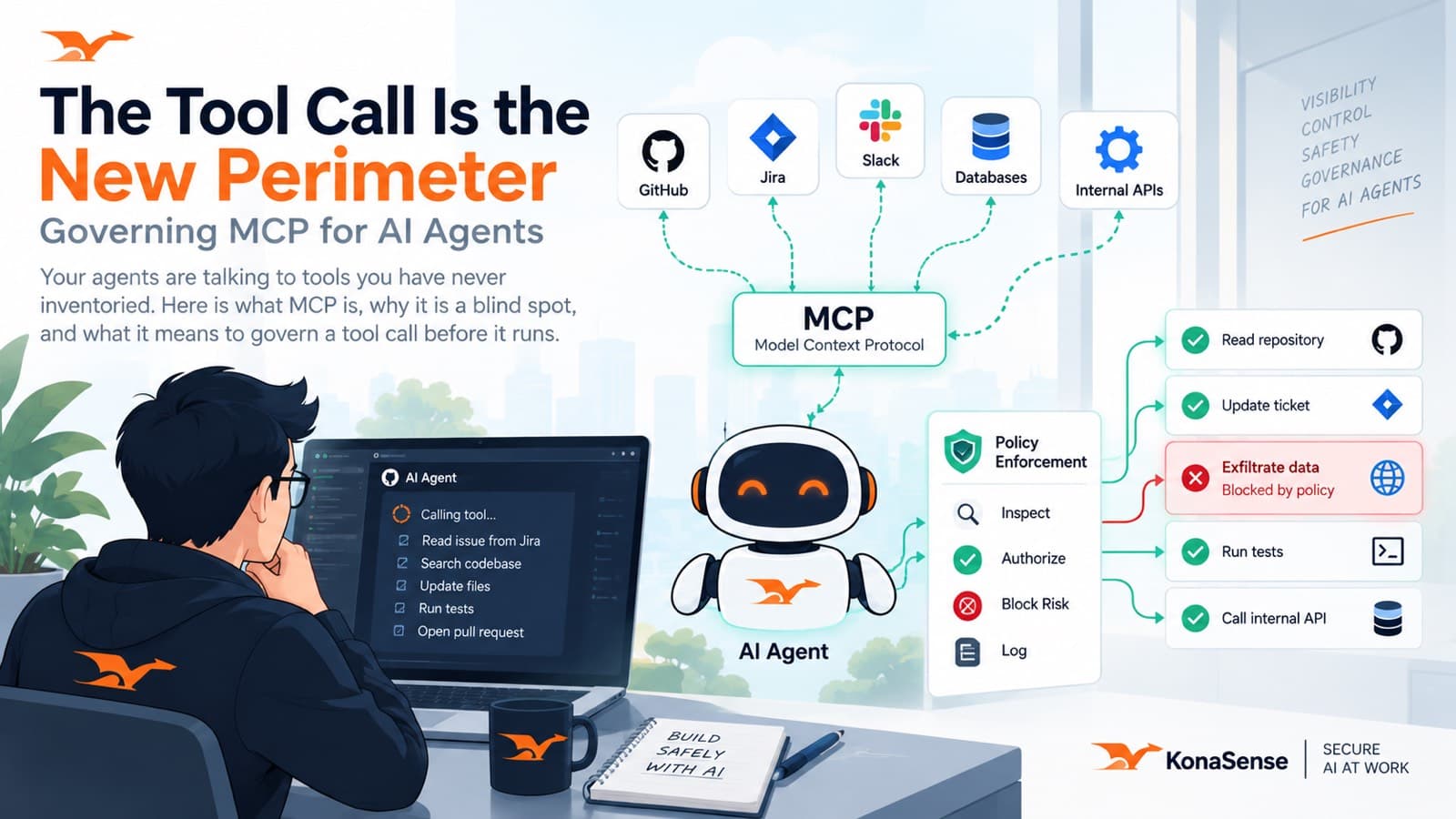
MCP, the Model Context Protocol, is a standard way for an AI agent to reach tools and data outside itself: a Jira server, a GitHub server, a database, an internal API, a custom server someone wrote in an afternoon. It is the thing that turned agents from systems that talk into systems that do. When an agent "uses a tool," an MCP call is usually what is happening underneath.
That is genuinely useful. It is also the moment an agent leaves the model and touches your world.
Why it is a blind spot
MCP servers are wired up by developers, one machine at a time, the same way people used to add browser extensions or install a CLI. There is rarely a central list of which servers exist, who connected them, or what they can reach. Security did not approve most of them because security never saw them.
The risk is not hypothetical or exotic. It is an over-permissioned server, a tool that reaches more than it should, or a server pulled from a public registry that no one reviewed. The blast radius is whatever that tool can touch.
What it means to govern a tool call
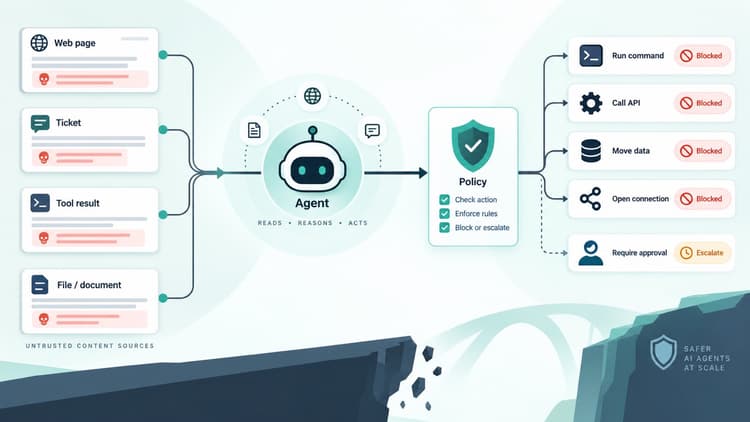
Governing MCP is not about blocking agents. It is about putting a decision point where there is currently none: between the agent choosing to call a tool and the tool running.
Three things have to be true for that decision to be real. You need an inventory: which MCP servers and tools your agents actually connect to, per person and per tenant. You need policy at the tool call: the ability to allow, deny, or require approval based on the server, the tool, and what it is being asked to do, evaluated before the call executes. And you need a record: which server and tool were used, with which arguments, and what the decision was.
Where KonaSense fits
This is exactly the layer KonaSense governs. We inventory the MCP servers and tools your agents connect to across Claude Code, Cursor, Copilot, and Codex, and we apply policy to each tool call before it runs: allow it, block it, or send it for review. The server, the tool, and the decision are recorded and exportable to your SIEM, so a tool call is never a silent event.
It is the same principle we wrote about in When AI Starts Executing: the risk lives at the moment an agent reaches out to act, not in the product name on the window. MCP is where that moment happens most often, and it is where the control belongs.
See which MCP servers your agents are calling