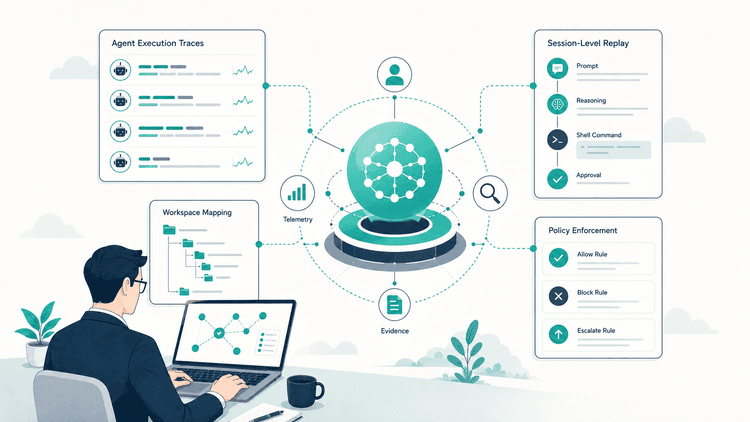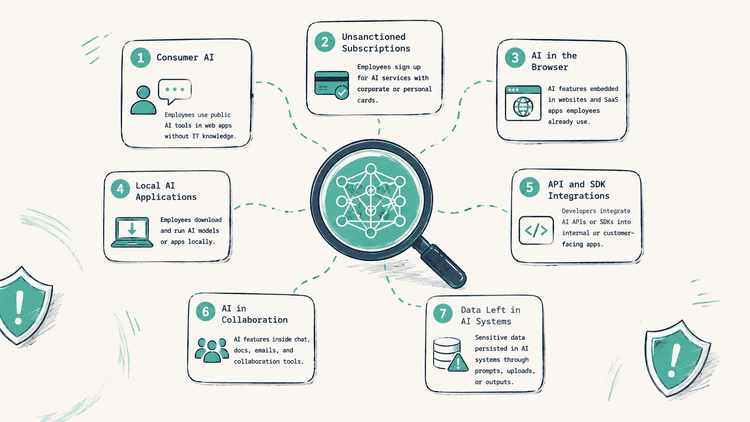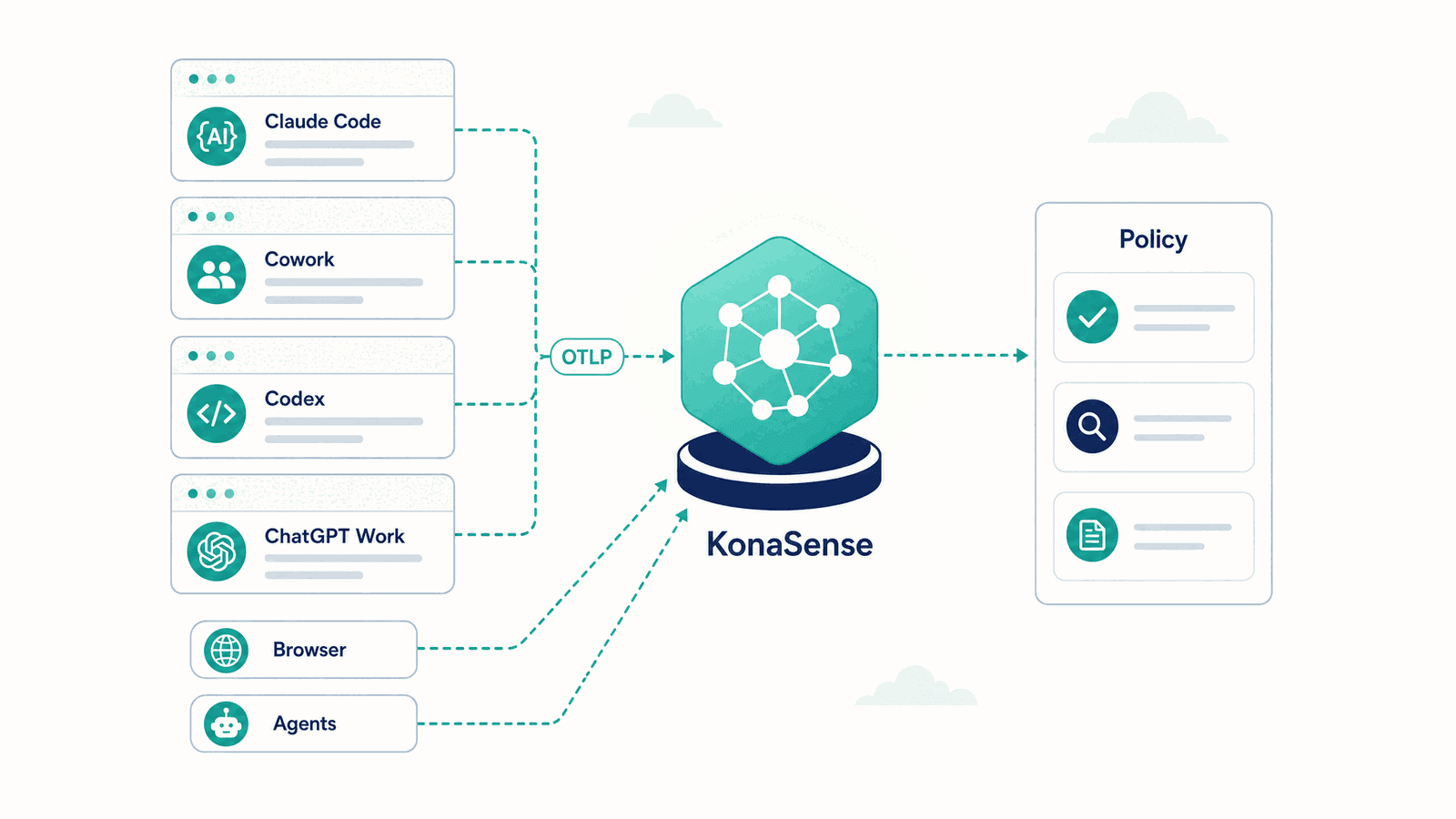
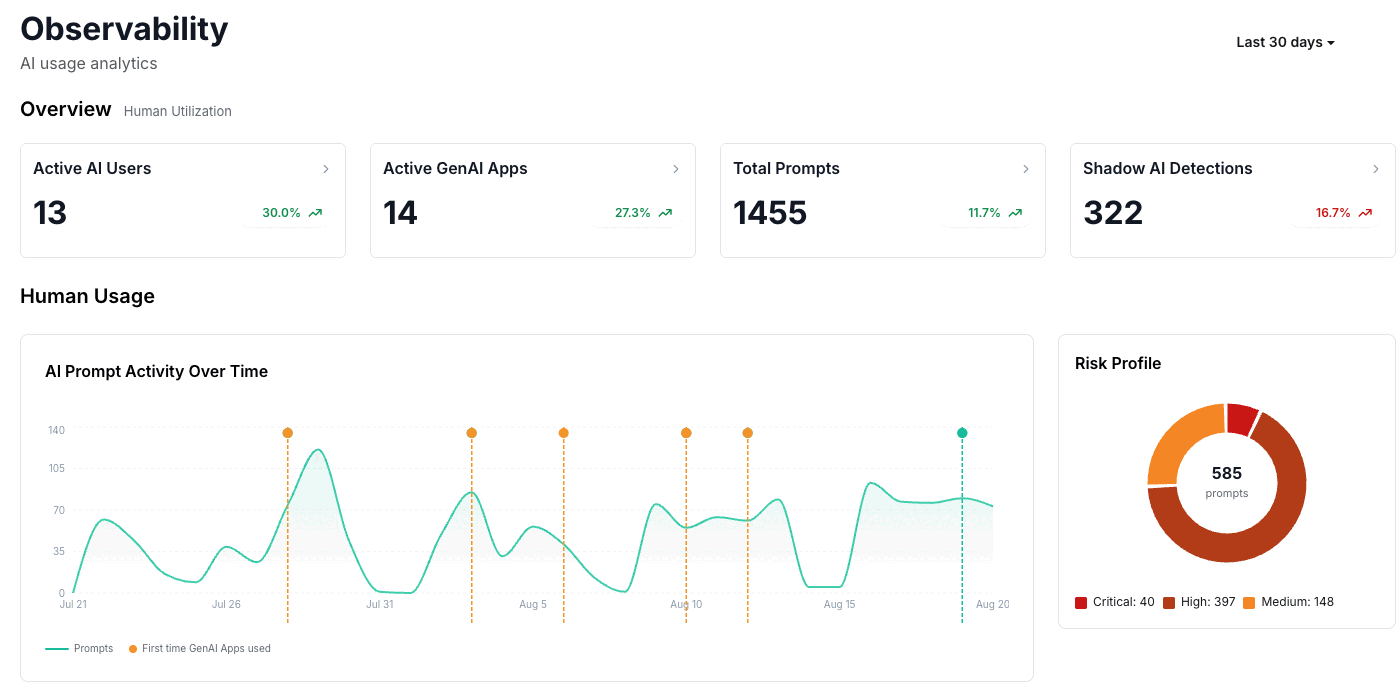
Security teams can now see and govern what happens inside Claude Code, Cowork, Codex, and ChatGPT Work on company desktops: the same users, the same policies, and the same incident queue already used for browser and agent activity.
There is no new sensor to install on the endpoint. These applications already emit telemetry over OpenTelemetry, and KonaSense now receives it, normalizes it, attributes it to users and devices, evaluates it against the same policies used across the platform, and brings the resulting activity and findings into the same operational view.
What the security team gets
Four things, in the order they usually matter.
Visibility
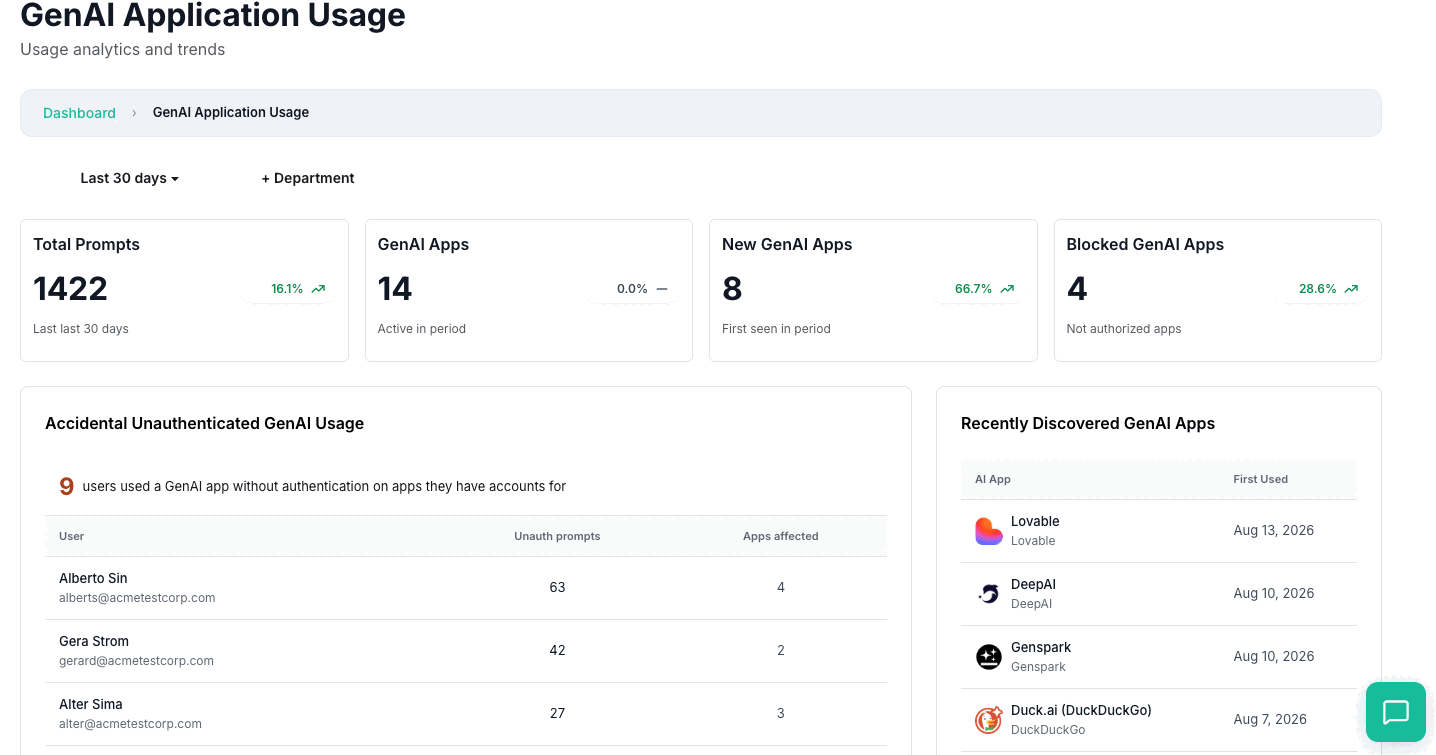
Security teams can see who is using AI, which application is involved, and what activity is taking place.
Policy evaluation
Telemetry is evaluated against organizational AI policies using the same policy engine applied to other KonaSense surfaces.
Evidence
Relevant telemetry, classifications, detections, user context, application context, and policy matches become part of an auditable record.
Auditability
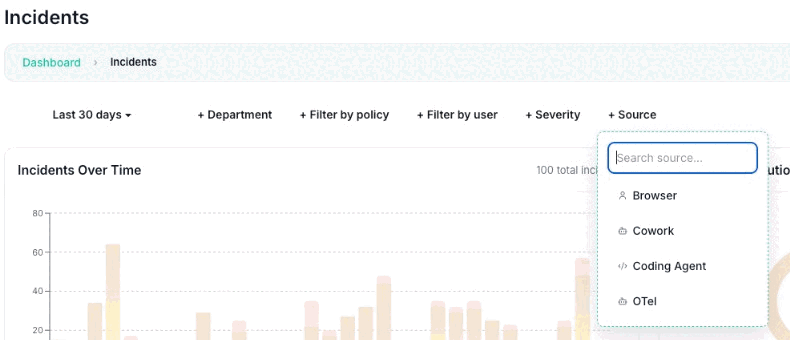
Findings appear in the same incident workflows and can be exported into existing security operations processes.
Governance does not automatically mean prevention. Preventive enforcement still requires an integration capable of participating in the action before it completes, such as Kona for Browser or Kona for Agents.
Three ways KonaSense sees AI activity
| Integration | Coverage | Raises incidents | Can intervene |
|---|---|---|---|
| Kona for Browser | GenAI activity in supported browsers | Yes | Yes: block, redact, warn, coach |
| Kona for Agents | Agent actions in supported IDEs and CLIs | Yes | Yes: allow or deny before execution |
| Desktop apps over OpenTelemetry | Supported AI applications and agent runtimes exporting telemetry | Yes | No: observe and evaluate only |
The browser and agent integrations operate directly inside the workflow and can enforce policy before an action completes. The desktop path is different: the application emits an event, log, metric, or trace, and KonaSense processes it after the application has generated it. For that reason, it should be understood as a monitoring and governance tier for surfaces where direct interception is unavailable or unnecessary.
The same control plane still applies. Telemetry can be classified by the same policy engine. Sensitive-data detectors can inspect prompt content when the source exports it. Policy matches can generate incidents. Activities can contribute to governance, security, inventory, and audit views. But the outcome is observational, not preventive.
This has been running since June
Desktop coverage in KonaSense has been evolving for several months.
Work and Codex, told apart
KonaSense added additional logic to distinguish ChatGPT Work activity from Codex activity when both use components from the same underlying runtime.
The result is not one feature released on one date. It is an expanding telemetry layer that has progressively brought more AI surfaces into the KonaSense control plane.
Which desktop apps are covered
Claude Code
OpenTelemetry logs and events, metrics, and supported tracing.
Claude Cowork
Organization-configured OTLP logs and events.
Codex
OpenTelemetry telemetry generated by the Codex runtime.
ChatGPT Work
KonaSense-tested telemetry observed through the shared Codex runtime, where available.
The exact telemetry available depends on the application, and that point is important. OpenTelemetry is a protocol and data model. It does not force every AI vendor to emit the same information.
One application may provide prompts, tool calls, MCP activity, approvals, and model metadata. Another may expose only usage events and operational metadata. KonaSense normalizes what is available, but it does not invent telemetry that the source never emitted.
What you see, and what you do not
A security team can receive useful AI telemetry without receiving the contents of a prompt. These are different capabilities.
What an application may report
- user identity
- application name
- model provider
- session identifier
- token usage
- tool activity
- execution outcome
- MCP activity
- latency
- errors
- approval decisions
What it may still withhold
The actual text submitted by the user.
That is still valuable for inventory, usage analytics, agent visibility, and audit. It is not enough to inspect what was written inside a prompt.
To detect a credit card number, source code, credential, customer record, or confidential business information inside a prompt, KonaSense needs access to the relevant content. Most AI telemetry implementations treat content capture separately because of privacy considerations. Codex, for example, does not expose raw user prompts through telemetry unless prompt logging is explicitly enabled, and Claude also provides controls governing whether prompt and response content is included.
What each application reports
Claude Code
Claude Code includes native OpenTelemetry support. Depending on configuration, its telemetry can cover usage, sessions, tool activity, API requests, errors, MCP activity, and other execution context. Prompt content is a separate decision: organizations that want sensitive-data inspection must explicitly configure the telemetry required to make that content available.
It also supports managed configuration, which is what separates observability from governance. A developer-controlled telemetry configuration is useful. A centrally managed one, protected from project-level modification, is much closer to a governance-grade deployment.
The distinction is not whether OpenTelemetry exists. The distinction is who controls it.
Claude Cowork
Cowork is configured centrally by a Claude administrator: OTLP endpoint, protocol and headers, set in one place rather than by each user. When content capture is enabled, KonaSense can evaluate prompt and response content against sensitive-data and AI-use policies. When it is disabled, KonaSense still receives operational and usage telemetry that contributes to inventory, session analysis, and governance.
Cowork can also expose working activity such as tool usage, API activity, errors, and permission-related events. That makes the telemetry useful for more than prompt monitoring: it provides visibility into what the AI system is actually doing.
Codex
Codex telemetry can expose session activity, prompts when configured, approval events, tool execution, network-related decisions, and MCP activity. Its configuration model differs from Claude, which is another reason KonaSense treats OpenTelemetry as an ingestion framework rather than assuming every AI product behaves identically.
One useful security property in Codex is that project-local configuration cannot simply redefine the OpenTelemetry configuration, which reduces the risk that a repository redirects telemetry to an attacker-controlled or developer-controlled destination. Enterprise administrators can also apply centrally managed Codex configuration, though managed configuration and absolute runtime immutability are not the same thing: administrators should validate the behavior of each control rather than assume every setting is impossible for a user to change.
Codex and ChatGPT Work
ChatGPT Work and Codex are different product experiences, but parts of their desktop execution architecture share underlying Codex components. That creates an attribution problem: if a telemetry platform looks only at a generic runtime identifier, activity from separate products can collapse into a single application.
KonaSense handles this by examining additional telemetry context emitted by the runtime. In telemetry we have tested, fields associated with the runtime origin allow KonaSense to distinguish Codex surfaces from ChatGPT Work activity.
The practical outcome is more important than the plumbing. A security team can distinguish activity originating from a coding agent from activity originating from a general-purpose work assistant instead of seeing both as one generic application.
Which tools the agents can reach
Agent telemetry becomes significantly more useful when it includes MCP context. Knowing that an AI agent executed a tool is useful. Knowing which MCP server exposed that tool is better.
Codex telemetry can expose MCP-related session and execution information. Claude Code telemetry can also expose MCP server and tool context, including server identity in supported events. This makes questions like these possible:
- Which sessions used a GitHub MCP server?
- Which agents had access to external tools?
- Which sessions interacted with a database or browser tool?
- Which users were operating agents with sensitive integrations enabled?
- Which MCP servers appear across the organization?
MCP visibility is becoming part of AI asset inventory. It is no longer enough to inventory models and applications. Organizations also need to understand the tools and systems attached to those agents.
The honest limits
Desktop telemetry materially expands AI visibility, but it does not eliminate the need for direct controls. There are three important limits.
1. Content may not be available
Without prompt or response content, KonaSense cannot inspect what was written inside a prompt. Everything the application does report is still attributed, evaluated and audited. The sensitive-data question is the one that goes unanswered.
2. Telemetry schemas differ
OpenTelemetry standardizes transport and telemetry concepts. It does not make every AI product emit the same events. Visibility therefore depends on what each application exposes.
3. Telemetry cannot block the action
OTLP is asynchronous telemetry. By the time KonaSense receives the event, the application may already have completed the operation. For activities that require preventive controls, KonaSense uses integrations capable of participating directly in the workflow. That is what Kona for Browser and Kona for Agents are designed to do.
Observability and enforcement are different layers
This creates a useful architecture.
Desktop apps
Observe. Attribute. Evaluate. Detect. Audit.
Kona for Browser
Observe. Evaluate. Redact. Warn. Coach. Block.
Kona for Agents
Observe. Evaluate. Approve. Deny. Control agent actions.
Not every surface needs the same integration. They need the same control plane.
One control plane
The important part of this is not the protocol. It is convergence. A browser prompt, a Claude Code session, a Cowork task, a Codex tool call, and supported ChatGPT Work activity can all become part of the same organizational picture.
The security team does not need a separate governance model for every AI vendor. KonaSense can normalize those signals around the concepts that matter: user, device, application, model, prompt, agent, session, tool, MCP server, sensitive data, policy, incident, and evidence.
Bring your desktop AI apps into the control plane